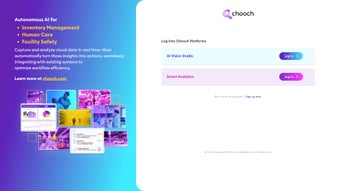

Download Chooch – Advanced AI Visual Data Insights Tool
Overview
Chooch is a cloud‑native, AI‑powered visual data analysis platform that transforms image collections into clear, actionable insights without the need for local installations or specialized hardware. At its core is the innovative ImageChat assistant, a conversational AI that lets users upload a single picture or an entire batch and receive natural‑language explanations, object detection, pattern recognition, and trend analysis within seconds. This approach eliminates the tedious, manual labeling steps that have traditionally slowed down image‑heavy projects, enabling data scientists, marketers, security analysts, and researchers to focus on decision‑making instead of data wrangling.
Because Chooch runs entirely in the browser, it is compatible with any modern operating system that supports JavaScript, making it equally accessible on Windows, macOS, Linux, Android, and iOS devices. The platform also offers a robust API for developers who wish to embed visual insight capabilities directly into their own applications, extending the reach of AI‑driven analysis beyond the native UI. Security is a top priority: all data is encrypted in transit with TLS 1.3 and at rest with AES‑256, and the service complies with GDPR, HIPAA, and ISO‑27001 standards.
In short, Chooch provides a fast, secure, and scalable way to turn raw visual data into strategic intelligence, turning a common bottleneck into a competitive advantage for organizations of any size.
Key Features, Pros & Cons
- ImageChat AI Assistant: Engage in real‑time, natural‑language conversations about uploaded images, receiving concise summaries, object detection, and trend insights.
- Batch Processing: Upload dozens or thousands of images at once and obtain grouped analyses, ideal for large‑scale research or marketing campaigns.
- Custom Model Integration: Use the Chooch API to connect proprietary machine‑learning models for industry‑specific visual recognition tasks.
- Secure Cloud Architecture: End‑to‑end encryption, GDPR, HIPAA, and ISO‑27001 compliance protect sensitive visual data.
- Cross‑Platform Accessibility: Works on any modern browser with JavaScript, covering Windows, macOS, Linux, Android, and iOS.
- Interactive Dashboard: Visualize results with heatmaps, annotation layers, and exportable reports in CSV, PDF, or JSON formats.
- Continuous Learning: Weekly model updates keep the platform aligned with the latest research breakthroughs.
- Collaboration Tools: Share insight sessions, add comments, and set granular permissions for multi‑user environments.
Pros
- Instant AI‑driven insights eliminate manual labeling and accelerate project timelines.
- Fully web‑based, so there is no need for heavyweight local installations or GPU resources.
- Scalable pricing model—from a generous free tier to enterprise‑grade plans.
- Robust security and compliance frameworks protect sensitive data.
- Extensive API enables deep integration with existing workflows and custom applications.
- Continuous model updates ensure cutting‑edge performance without user intervention.
Cons
- Requires a stable internet connection; offline analysis is not supported.
- Free tier limits (50 images per month) may be restrictive for heavy users.
- Custom model integration demands developer expertise and familiarity with RESTful APIs.
- Enterprise pricing is quote‑based, which can make budgeting less transparent.
Installation, Usage & Compatibility
Getting started with Chooch is designed to be frictionless. Because the service is delivered as a SaaS platform, there is no traditional installer—just a modern web browser with JavaScript enabled. Follow these steps to begin extracting insights from your visual data:
- Create an Account: Navigate to the official Chooch website, click “Sign Up,” provide a valid email address, set a strong password, and confirm your account via the emailed link.
- Select a Subscription Plan: Choose between the free tier (up to 50 images per month), the Professional plan (5,000 images), or the Enterprise package (unlimited usage with dedicated support). Plans can be upgraded at any time from the dashboard.
- Enable JavaScript: Ensure JavaScript is active in your browser settings. Most browsers enable it by default, but you can verify under Settings → Privacy & Security → Site Settings → JavaScript.
- Upload Images: Drag‑and‑drop files into the ImageChat window or use the “Upload” button. For batch uploads, select multiple files or compress them into a ZIP archive; the platform will automatically unpack and process each image.
- Interact with ImageChat: Ask natural‑language questions such as “What objects are present?” or “Show trends across these satellite images.” The AI returns annotated visuals and concise textual summaries.
- Export & Share Results: After analysis, click “Export” to download reports in CSV (raw data), PDF (print‑ready), or JSON (for integration with other tools). You can also share a live insight session with teammates via a secure link.
- Integrate via API (Optional): For developers, generate an API key from the dashboard, then follow the RESTful endpoint documentation to embed Chooch’s visual insight engine into custom applications, scripts, or third‑party platforms.
System Compatibility: Chooch operates on any operating system that supports a modern browser with JavaScript, including:
- Windows 10/11 – Edge, Chrome, Firefox
- macOS Monterey/Ventura – Safari, Chrome, Firefox
- Linux – Recent Chrome or Firefox releases
- Android 12+ – Chrome or Firefox
- iOS 15+ – Safari or Chrome
Minimum hardware requirements are modest: a dual‑core CPU, 4 GB RAM, and a stable internet connection of at least 5 Mbps. For high‑resolution batch processing, a faster connection (≥25 Mbps) and a modern GPU‑accelerated browser can reduce latency, though the computational heavy‑lifting occurs on Chooch’s secure cloud servers. The entire onboarding workflow—from registration to first insight—typically takes under five minutes, making Chooch one of the most time‑efficient AI visual analysis solutions on the market.
Frequently Asked Questions & Conclusion
Is Chooch truly free for small projects?
Yes. The free tier allows up to 50 images per month with full access to ImageChat and basic export options, making it ideal for freelancers, students, or small research teams.
How does Chooch ensure data privacy?
All uploads are encrypted in transit using TLS 1.3 and encrypted at rest with AES‑256. The platform complies with GDPR, HIPAA, and ISO‑27001, and enterprise customers can enforce additional data‑retention controls.
Can I use Chooch on a mobile device?
Absolutely. The responsive web interface works on both Android and iOS browsers, allowing you to capture images on‑the‑go and receive instant AI insights without installing a native app.
What image formats does Chooch accept?
Chooch supports JPEG, PNG, BMP, TIFF, and GIF. For batch uploads, you can also submit a ZIP archive containing any combination of these formats.
How often are new AI models added to the platform?
Model updates follow a continuous‑delivery pipeline and are rolled out weekly. Major breakthroughs are deployed as soon as they pass internal validation, ensuring users always benefit from state‑of‑the‑art technology.
In a world where visual data is exploding—from satellite imagery to user‑generated content—Chooch provides a fast, secure, and scalable way to extract intelligence from images. Its browser‑based architecture removes the need for costly hardware, while the ImageChat assistant transforms raw pixels into business‑ready insights in seconds. Whether you are a data scientist prototyping a new model, a marketer tracking visual trends, or an enterprise seeking to embed vision AI into existing workflows, Chooch delivers flexibility, compliance, and continuous improvement. Ready to turn your image piles into strategic assets? Download Chooch now, start with the free tier, and experience the future of visual data analysis today.



.png)



